Designing html emails is always a bit of a throwback to the old days, with tables and inline styles the foundation of email design. Css can be added for link and body declarations but email clients are a varied bunch and double declaring things like font sizes;
<font face="arial" color="#333333" size="2" style="font-size:13px; line-height:18px;">
is the only way to get an email to display universally in the same manner. Adobe’s Dreamweaver is a great tool for html email design as it handles table layouts very well.
Html email design tips
I usually set the main table width as 750px, try to use padding rather than spacer .gifs and make sure no links are relative. It’s also important to try and create a structure that keeps the mail readable if the user’s inbox blocks images by default, so informative alt tags are again important. Spam and unsubscribe notices are a must, I’d also recommend having a weblink as an html webpage version has already been created, so it’s just a case of moving it onto the server.
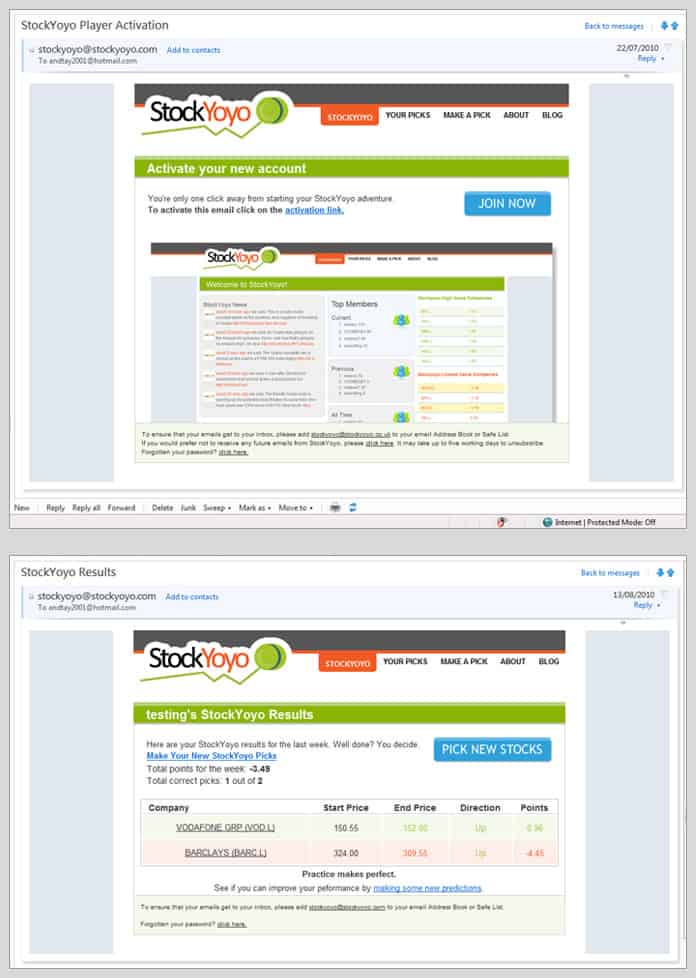
Html email design – Stockyoyo.com
Here’s an example I produced for Stockyoyo.com, which uses xslt and html to produce dynamic emails tailored to your share rating performance for that week.